
A server is a computer or system that provides services, resources, or data to other computers, called "clients," over a network. These services can include hosting websites (web server), storing files (file server), or managing databases (database server). Servers are powerful, designed to manage and process large amounts of information and are central to operations for businesses and online services.
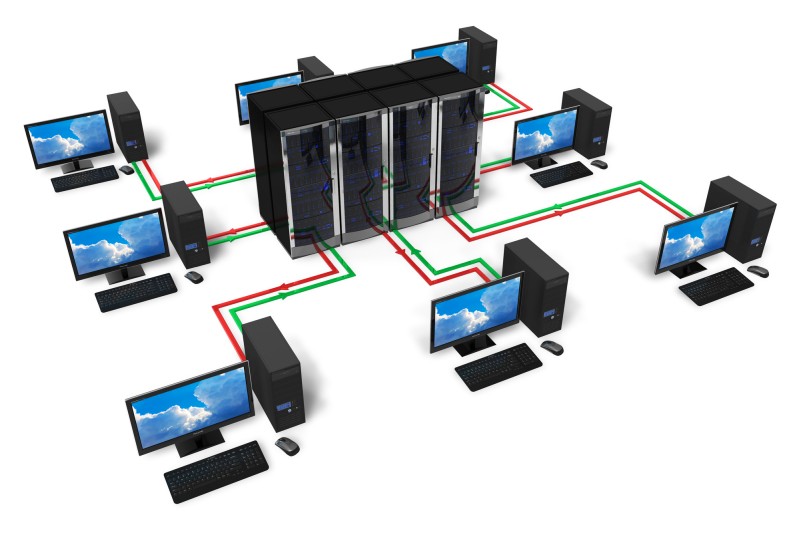
How a server works
The core function of a server is to respond to requests from clients.
- A client (like a web browser on your laptop or a gaming console) sends a request to a server over a network.
- The server, which is always listening for incoming requests, receives and processes the query.
- The server performs the necessary action, such as locating a web page, retrieving data from a database, or running a business application.
- It then sends the requested information or service back to the client as a response.
Servers vs. desktop computers
Though they have similar components, servers and desktops are fundamentally different in purpose, reliability, and design.
| Feature | Server | Desktop Computer |
|---|---|---|
| Purpose | To provide services for multiple users and devices continuously. | For single-user, personal tasks like browsing, gaming, or productivity. |
| Reliability | Designed for 24/7, high-volume, and continuous operation with minimal downtime. | Intended for intermittent, single-user workloads. |
| Hardware | Equipped with enterprise-grade components, such as multi-core CPUs, Error-Correcting Code (ECC) RAM, and redundant power supplies. | Uses consumer-grade hardware that balances performance with cost and power consumption. |
| Storage | Uses highly reliable and redundant storage arrays (like RAID) and often includes hot-swappable drives to avoid downtime. | Typically uses one or a few consumer-grade hard drives or solid-state drives (SSDs). |
| Operating System | Specialized operating systems (e.g., Windows Server, Linux) are optimized for networking, security, and multi-user environments, often managed remotely. | User-friendly operating systems (e.g., Windows, macOS) are optimized for a graphical interface and single-user experience. |
| Scalability | Built to scale up by adding more processors, memory, or storage as business needs grow. | Offers limited expansion options for upgrades. |
Common types of servers
Servers are categorized by the service they provide.
- Web server: Hosts websites and delivers web pages to users via HTTP.
- Database server: Stores, manages, and provides access to databases for applications.
- Application server: Runs and hosts software applications, allowing users to access them without installing the software locally.
- File server: Stores and manages data files and provides access to authorized users on a network.
- Mail server: Sends, receives, and stores email messages.
- Print server: Manages and controls printing jobs on a network.
- DNS server: Translates human-readable domain names (like www.example.com) into numerical IP addresses.
- Proxy server: Acts as an intermediary between a user and other servers for security, content filtering, or network performance.
- Cloud server: A virtual server hosted in a cloud computing environment, offering on-demand scalability and access over the internet.